How To Launch Your First Cold Email Campaign
If you have never sent a cold email campaign before, the whole thing can look like a wall of tools, settings, and jargon. It is simpler than it looks. There are six steps, and you do them in the same order every time.
This post walks through how to launch your first cold email campaign as quickly and briefly as possible: buying domains, setting up inboxes, warming them up, building a lead list, verifying emails, and writing and sending the campaign. I will name the tools I use at each step. None of the links are affiliate links. They are just there to point you in the right direction.
- Buy two to three lookalike domains and never send cold email from your main one.
- Buy Google or Microsoft inboxes on those domains and warm them up for at least two weeks, ideally three or four.
- While they warm, build a list of companies that match your ICP, then find the right decision makers inside them.
- Verify every email before you send, so bounces do not wreck your sending reputation.
- Keep the email under 75 words, with no links or images, a short plain subject line, and a soft call to action.
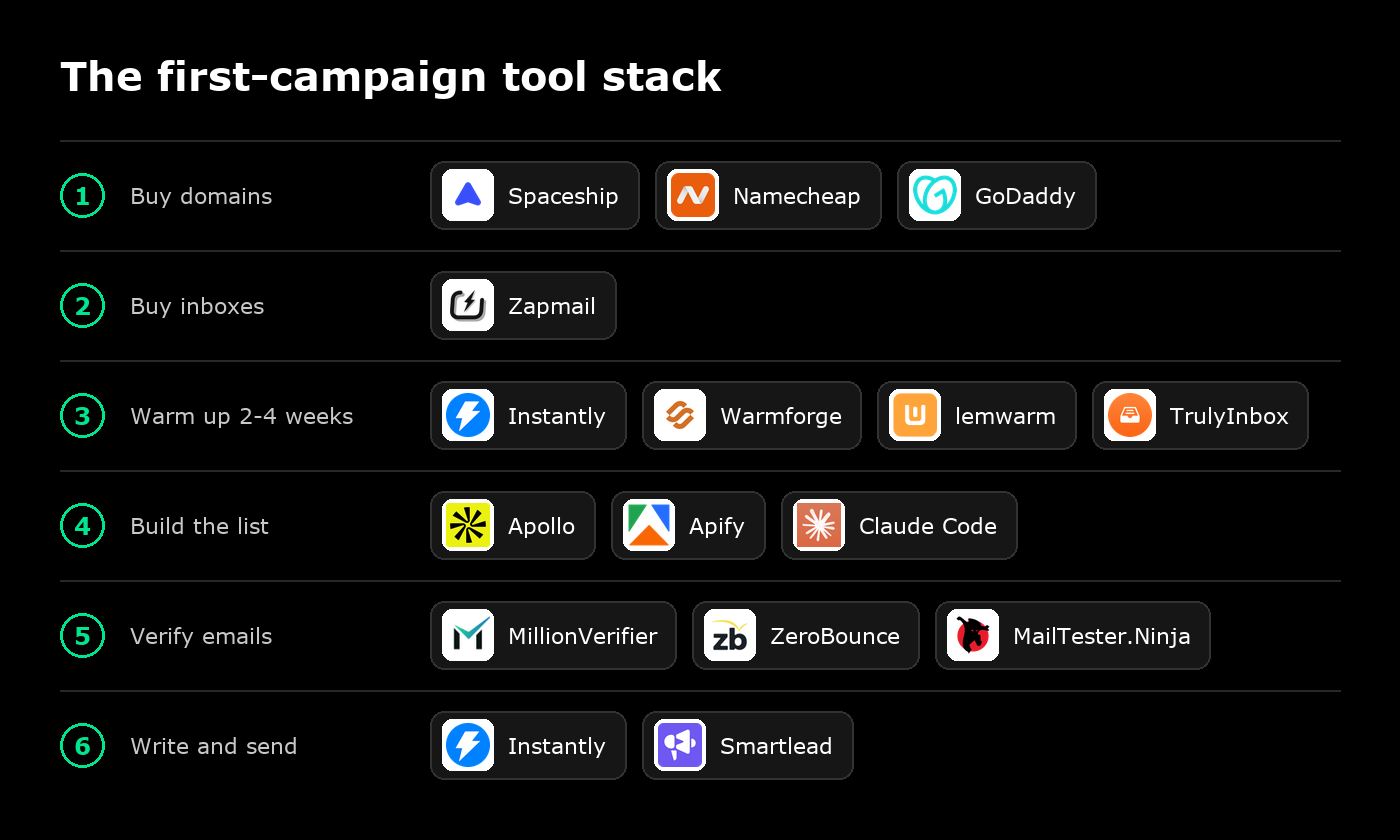
Step 1: Buy two to three sending domains
The first thing you do is buy two to three domains to send from. If your main domain is company.com, buy close variations of it such as trycompany.com, getcompany.com, or gocompany.com.
The point is to protect your main domain. Cold email carries risk, and if something goes wrong with deliverability you want it to happen on a domain you can replace, not the one your whole business runs on.
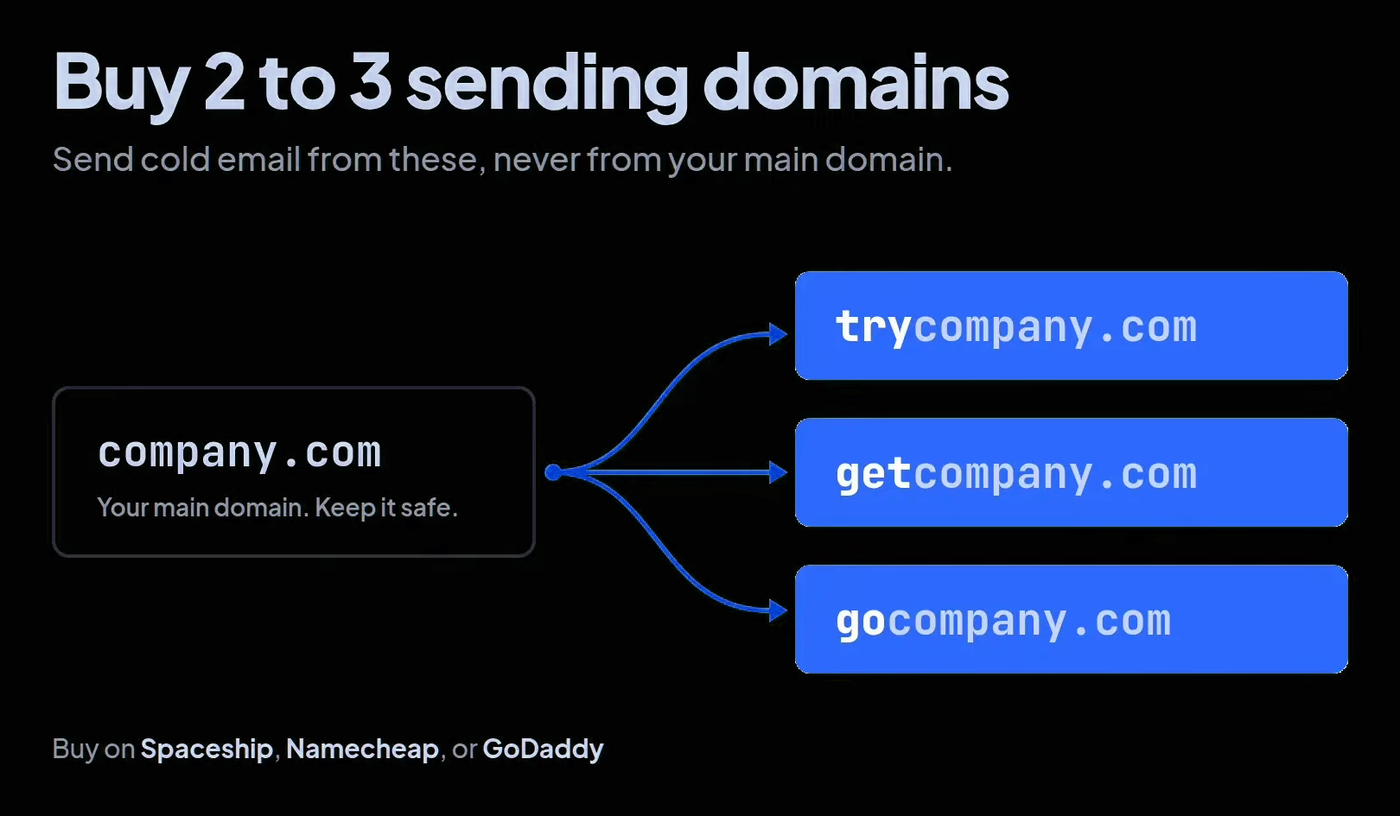
You can buy domains on GoDaddy or Namecheap. I currently buy my email domains on Spaceship.
Step 2: Buy your inboxes
Once you have your two to three domains, it is time to buy the inboxes that will actually send the emails. I use Zapmail for this. You can buy both Google inboxes and Microsoft inboxes there, all on a monthly subscription.
Step 3: Warm up the inboxes for two to four weeks
This is the step people try to skip, and it is the one you cannot. Brand new inboxes have no sending history, so before they send a single cold email they need to be warmed up.
Two weeks is the minimum. If you can wait three or four weeks, that is even better. The longer you warm up the inboxes, the better, but no matter what, give them at least two weeks.
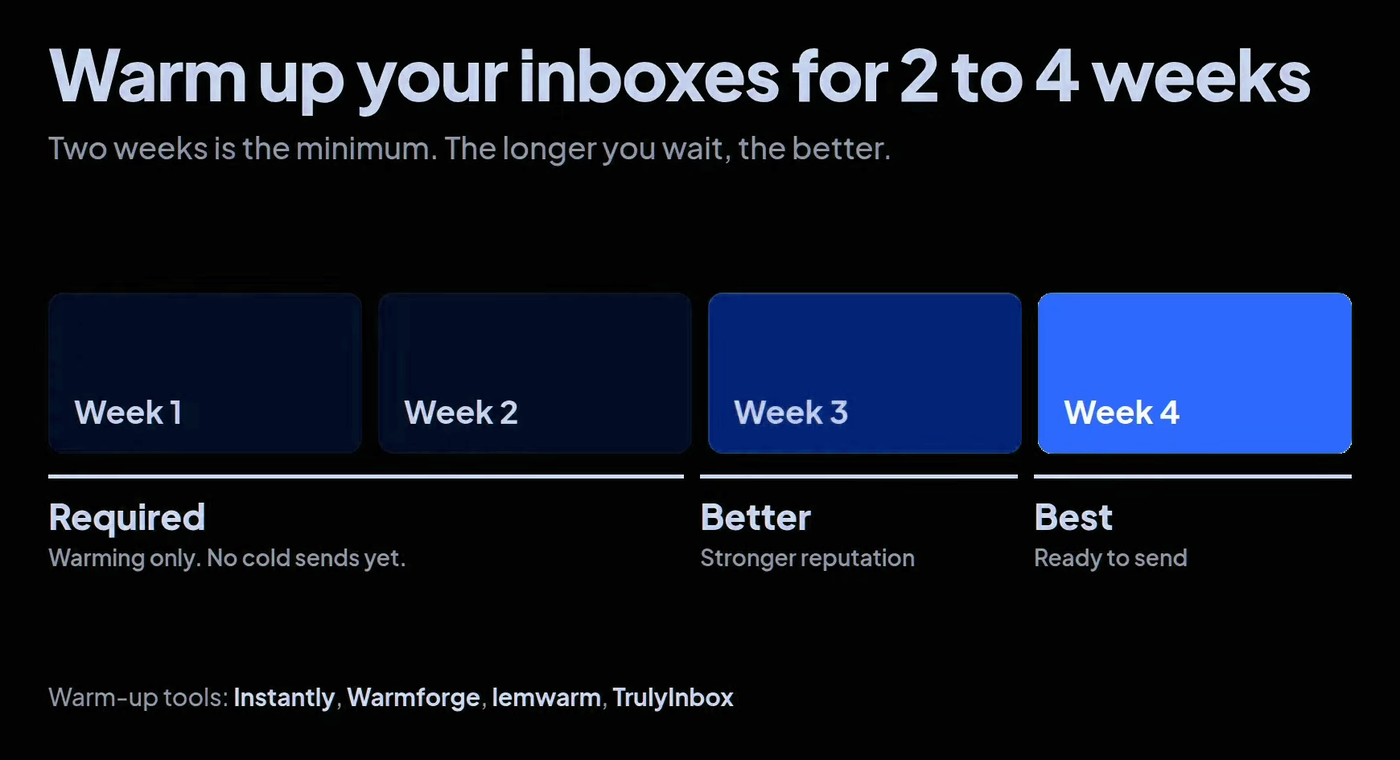
There are plenty of warm-up tools, including Warmforge, lemwarm, and TrulyInbox. I personally use Instantly. Any of them will do the job.
The good news is that warm-up runs in the background. While it does, you can get on with the next two steps.
Step 4: Build your lead list
With your infrastructure set up and warming, it is time to find people to reach out to. This happens in two parts: first find the companies, then find the people inside them.
Start with a generic list to your ICP
The easiest place to start is a generic list to your ideal customer profile, pulled from a database such as Apollo. Create an account and add filters for location, employee headcount, industries, and keywords.
In the video I searched for staffing and recruiting companies and got a list of around 2,200. Not all of those are a good fit. If you only want staffing and recruitment companies that focus on healthcare, a lot of them will not match.
So I export that list as a CSV and upload it to Claude Code, and have it filter the list down to only the companies that match the ICP: staffing and recruitment in healthcare, with the headcount and location I set in Apollo. If you want to know what makes a list like this convert, I covered it in the five fundamentals of generic cold email campaigns.
Get more specific with intent signals
If you want to go further than a general list, use intent signals. Job hiring data and recent funding are two good ones. A company showing a signal like that might be facing exactly the problem or challenge your offer solves, which makes them a much better lead to reach out to.
For almost any intent signal, you can use Apify. The Apify Store has a long list of scrapers: Google Maps, TikTok, Instagram, LinkedIn jobs data, Indeed jobs data, recent funding, and a lot more.
For example, a LinkedIn job scraper finds companies that are posting and hiring for a certain role. In the staffing and recruitment example, that is a perfect intent signal, because a company that is hiring is a company that might need help hiring. If you want a deeper look at job data specifically, read my TheirStack review. Otherwise, browse the Apify Store. The options are close to limitless.
Find the decision makers
Now that you have a list of companies, you need people at those companies to email. Go back to Apollo and either upload your list of companies or reuse the same filters you already built.
Then pick the right titles. That could be CEOs and founders, hiring managers, heads of sales, or whoever is the relevant decision maker for the product or service you are offering. Once you have your list of people, enrich them with Apollo credits to get their email addresses.
Step 5: Verify every email
Do not send to those emails yet. You have to verify them first, using a tool such as MailTester.Ninja, ZeroBounce, or my favorite, MillionVerifier.
This matters because not every email address you enrich will be valid, and some will sit on catch-all domains. Sending to bad addresses hurts your sending reputation, and your reputation is what decides whether you land in the inbox at all. Verify first, send second.
Step 6: Write the email and launch the campaign
You have a verified list, and your inboxes have had their two to four weeks of warm-up. Now it is time to send. Use a sending platform such as Instantly or Smartlead. I use Instantly: add your leads to a campaign, then write the email.
The subject line
Keep the subject line between two and four words. It should not look salesy or like a marketing promotion. The goal is to make it look like a colleague or a customer wrote it. If you are stuck, you can always go with the classic "[First name], quick question."
The body
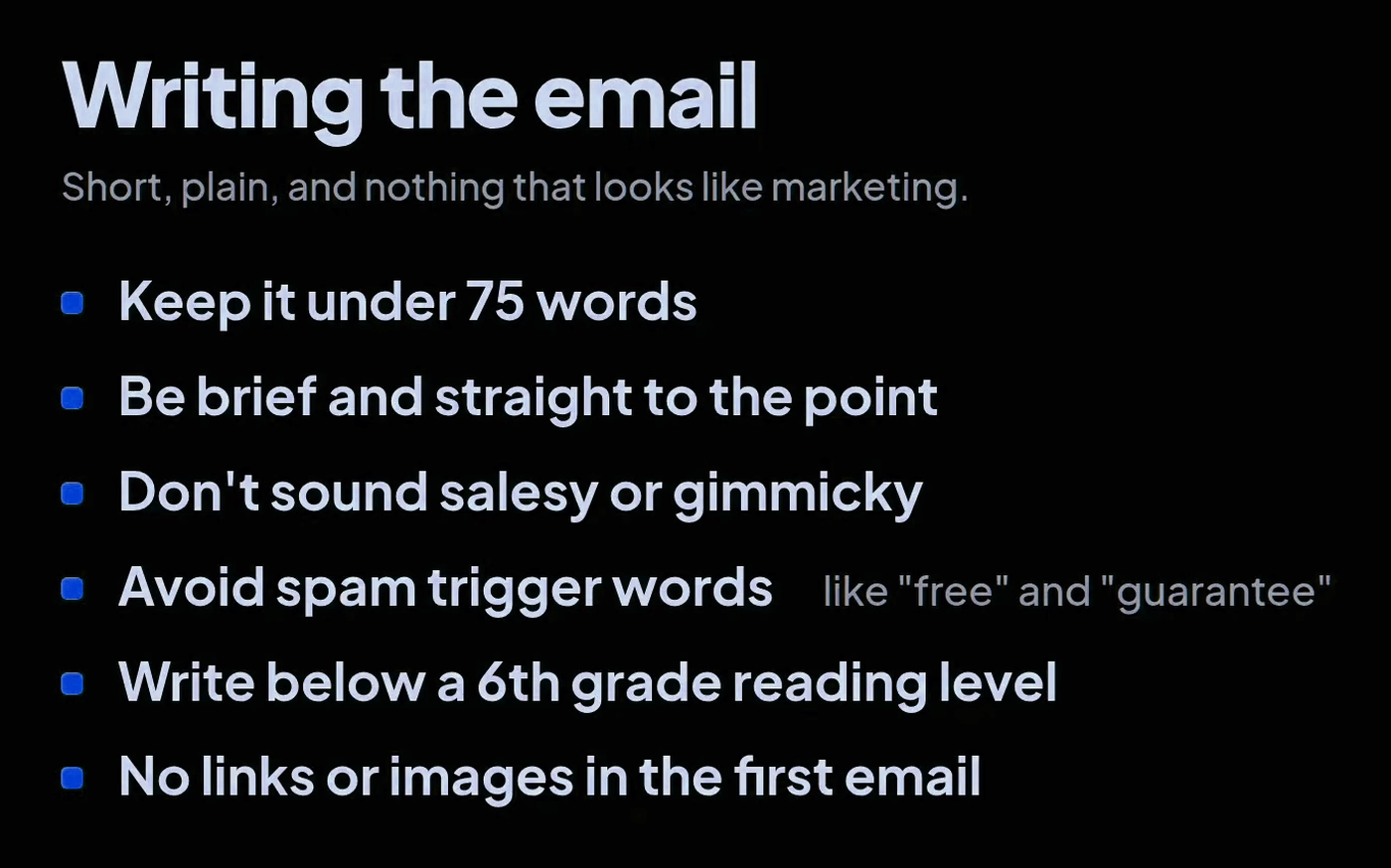
- Keep it under 75 words. Be brief and get straight to the point.
- Do not sound salesy or gimmicky.
- Avoid spam trigger words such as "free" and "guarantee."
- Write below a sixth grade reading level.
- No links or images in the first email, or you will end up in spam.
The call to action
Use a soft call to action. Offer to do a part of your service for free, like an audit or a breakdown, or offer to record a Loom video walking through exactly how you would help that company in its situation. If you want more on shaping what you offer, see how to position your offer for cold email.
Follow-ups
Add multiple touches to the campaign, but cap it at two to three follow-up emails. And if someone tells you they are not interested, do not reach out to them again.
Personalize with Claude Code
One more thing that makes a big difference. You can connect Claude Code to Instantly or Smartlead through MCP and have it write personalized lines for each lead. Take the time to give it a good prompt, and make that prompt very specific. It will come back with personalized lines you can drop straight into your campaign.
Personalization is king in cold email, and it drastically improves reply rates.
When your copy is done, launch the campaign.
That is the whole process
That is how to launch your first cold email campaign: buy domains, buy inboxes, warm them up for two to four weeks, build and filter your list, verify every email, then write a short, plain email with a soft call to action and send it. Run the steps in that order and do not skip the warm-up.
If you missed a step, the video above walks through each one on screen, so feel free to rewind to the part you need.
If you need help building cold email campaigns that generate more leads for your business, book a call and we can walk through it together.
Book a call